
What if a company’s website could become your lead source instantly? With Skrapp’s website integration, it does exactly that. From any company website, you can uncover firmographics, identify key employees, and fetch verified emails — all in just a few clicks.
1. Add the Skrapp.io Chrome Extension
-
Go to skrapp.io/extension and click on Install for Chrome.
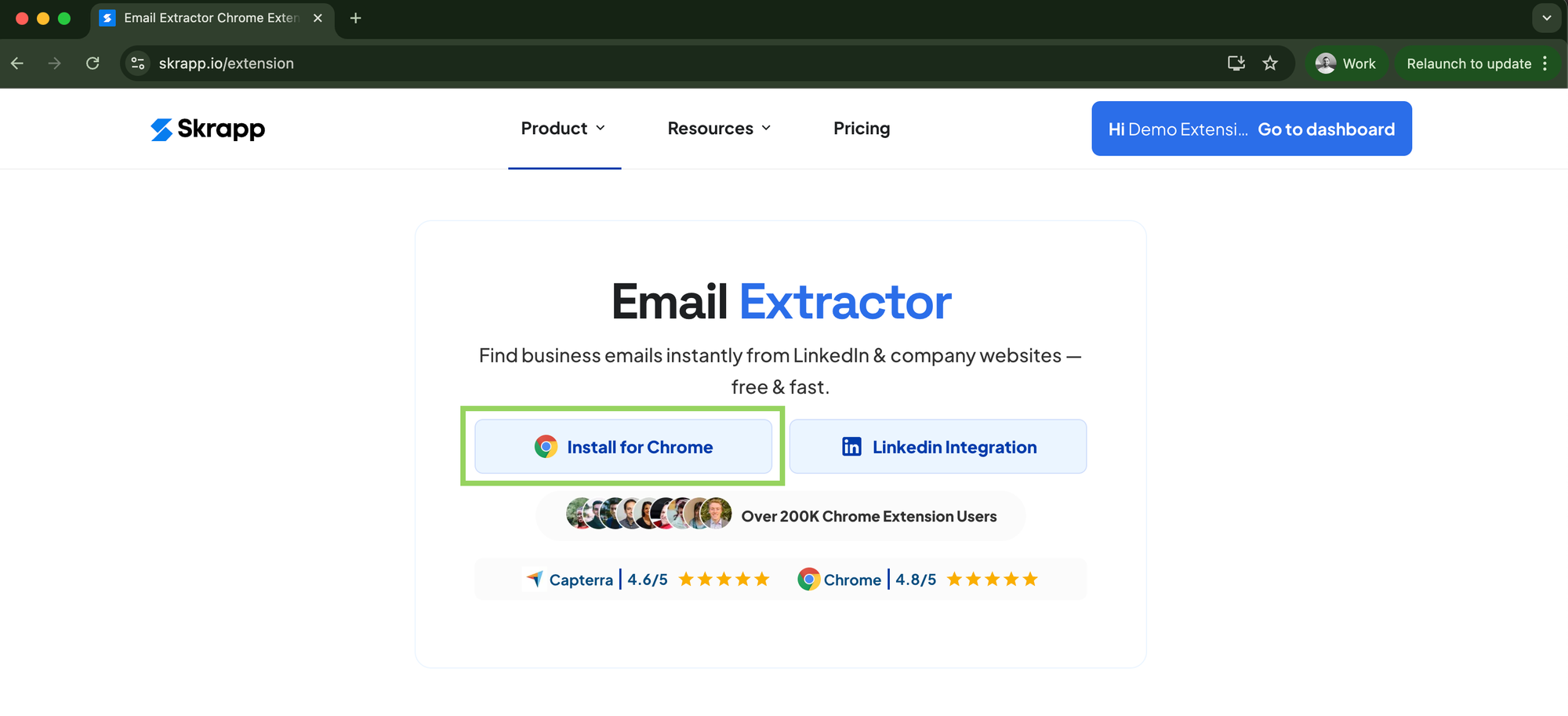
Skrapp.io Chrome Extension -
Select Add to Chrome and confirm the installation.
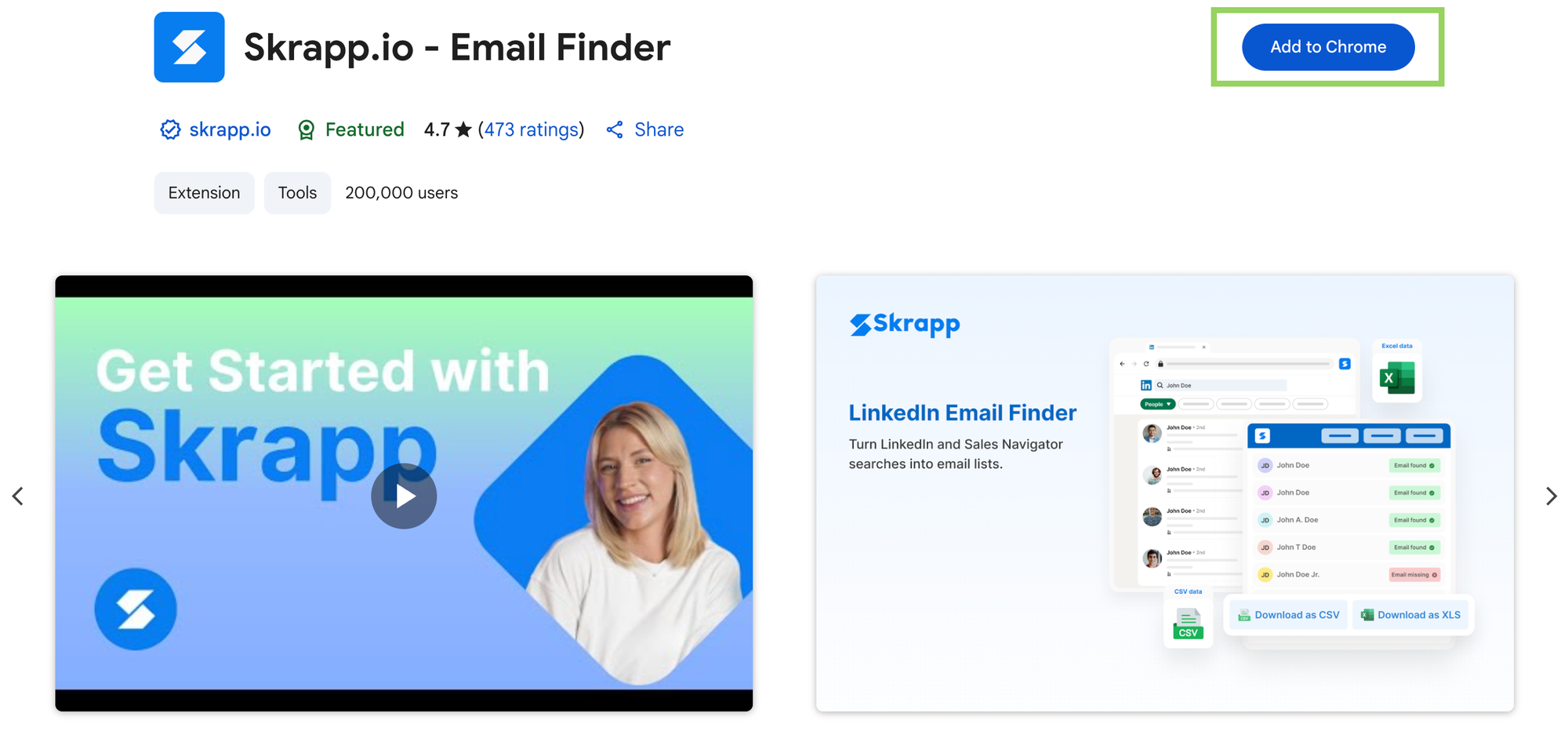
Skrapp.io Chrome Extension Install Once installed, pin the Skrapp icon to your Chrome toolbar so it’s always within reach.
2. Use Skrapp on Company Websites
Visit any company website.
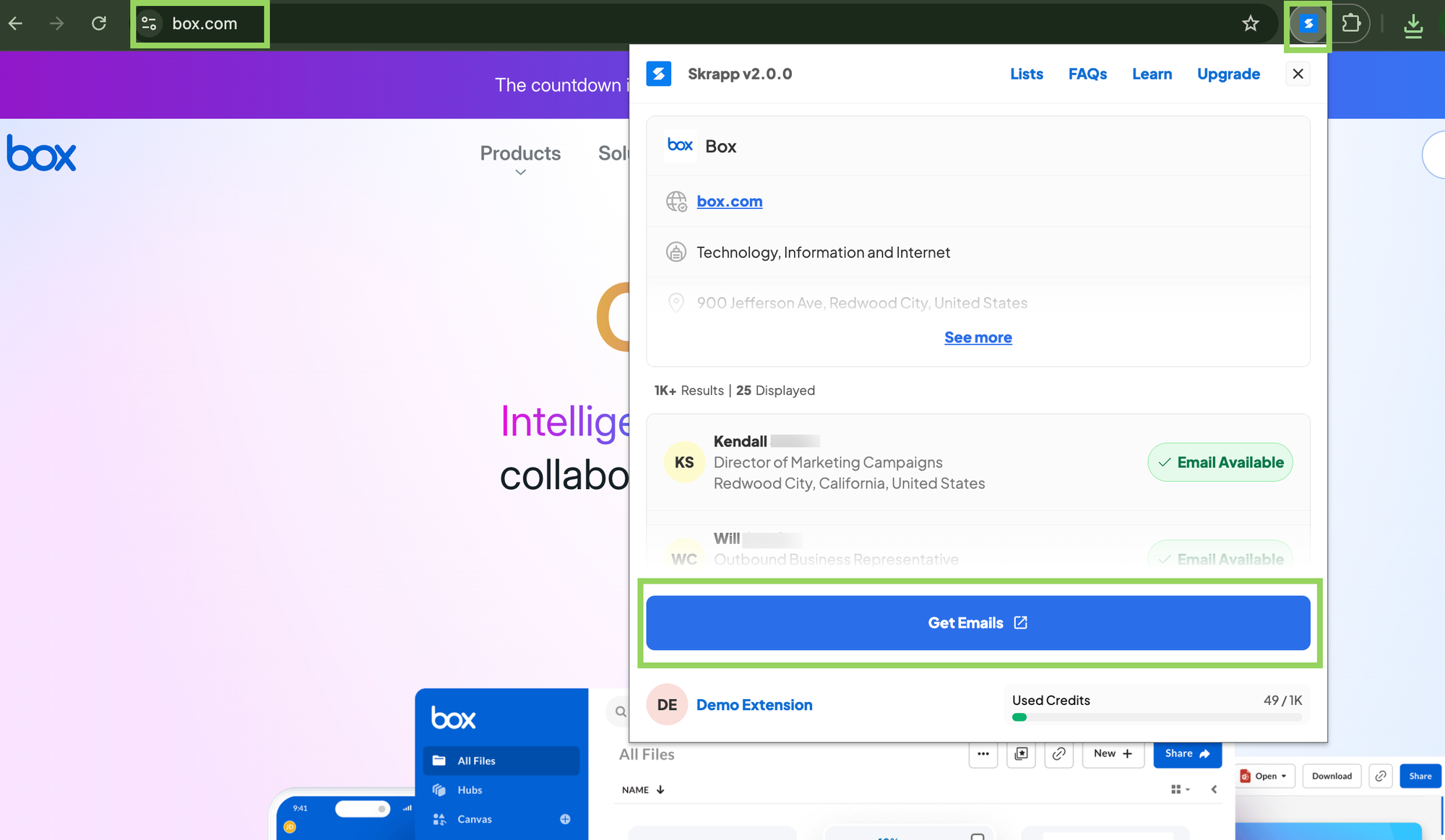
Click the Skrapp.io extension icon in your browser’s toolbar.
-
Instantly view:
Firmographics (company size, industry, location).
Key employees associated with the company.
3. Fetch Emails and Add to Lists
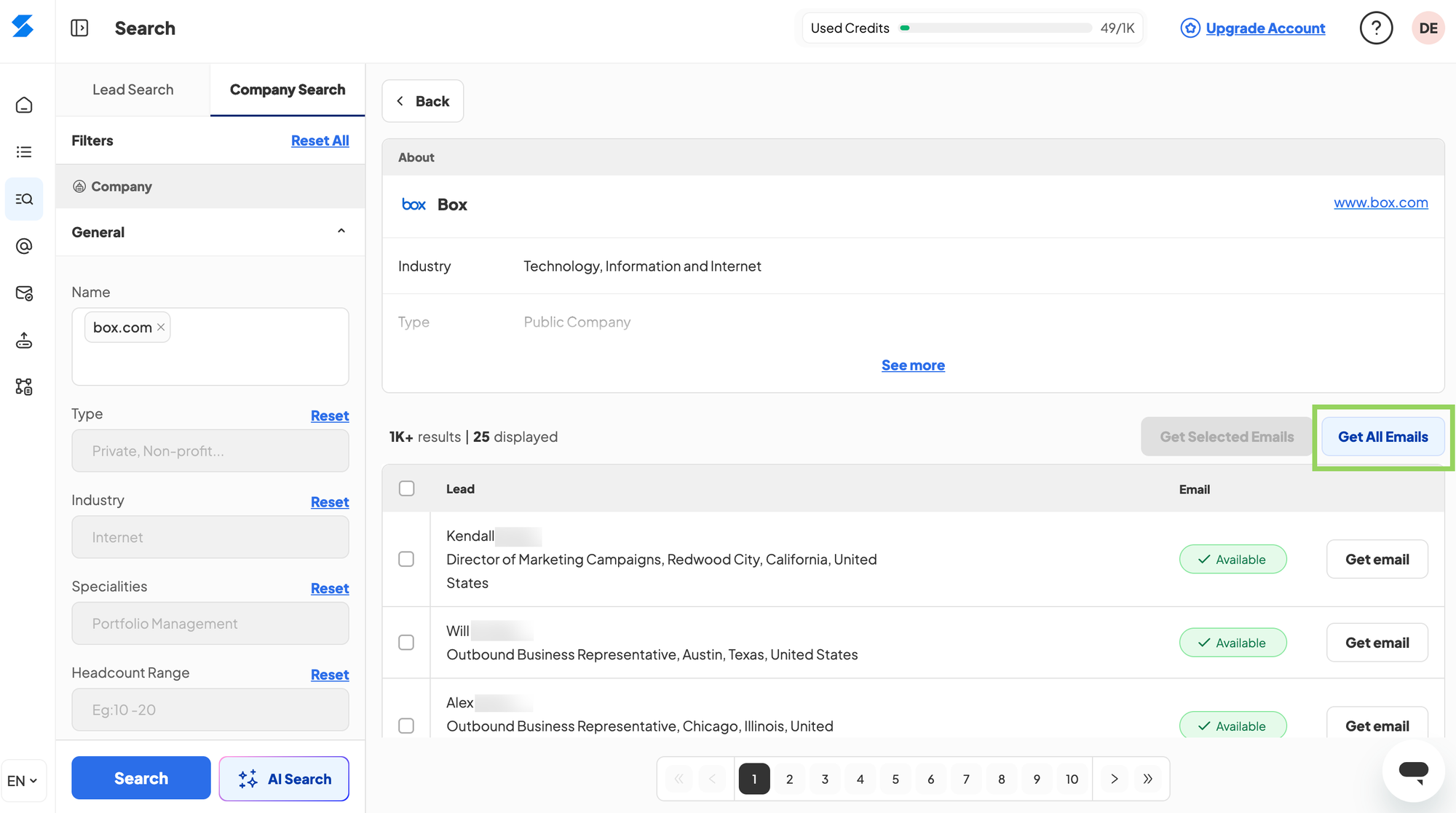
Click Get Emails in the extension.
You’ll be redirected to the company page inside Skrapp.
-
From there, you can:
Fetch verified emails of decision-makers.
Save them directly into your Skrapp lead lists for future outreach.
That's it. with Skrapp.io’s Website Enrichment, you can turn any company’s website into a reliable lead source — meaning less manual work and more time focusing on closing deals and driving revenue.
💡 Need help or have questions? Reach out to us anytime at support@skrapp.io.
Related to
Comments
0 comments
Please sign in to leave a comment.